
Finally, Apache Airflow 3.0 has arrived! The Apache Airflow community dropped a release note on April 22nd for this big release.
I wrote a blog post 2 months ago as a preview, Apache Airflow 3.0 Is Coming Soon: Here’s What You Can Expect. I am excited to unbox this updated Apache Airflow and write an updated review about it.
Apache Airflow 3.0 Setup
Apache Airflow has completed comprehensive updates to all the necessary documentation. To avoid the complexity of Python versions, we will use the Docker composer and set up everything quickly.
The official Airflow Docker setup has already been updated to 3.0; we just need to run the following command to fetch the latest yaml file for the composer
curl -LfO 'https://airflow.apache.org/docs/apache-airflow/3.0.0/docker-compose.yaml'
Afterward, you can adhere to the documentation to establish the necessary folders for plugins, DAGs, logs, and configuration. Subsequently, it would be necessary to initialize the database for the Apache Airflow backend (please be advised that Airflow also provides a migration script for 2.x versions).
It is now possible to initiate Apache Airflow 3.0. As we have previously experienced, we anticipate that various Airflow components will generate a high volume of terminal outputs. Looks familiar? If you’ve used Airflow before, you’ll feel right at home. 🙂
docker compose up
Modernization of UI
There is no doubt that Airflow has a user-friendly interface and is highly beneficial for data professionals who need to visualize the DAGs, check states, and backfill jobs.
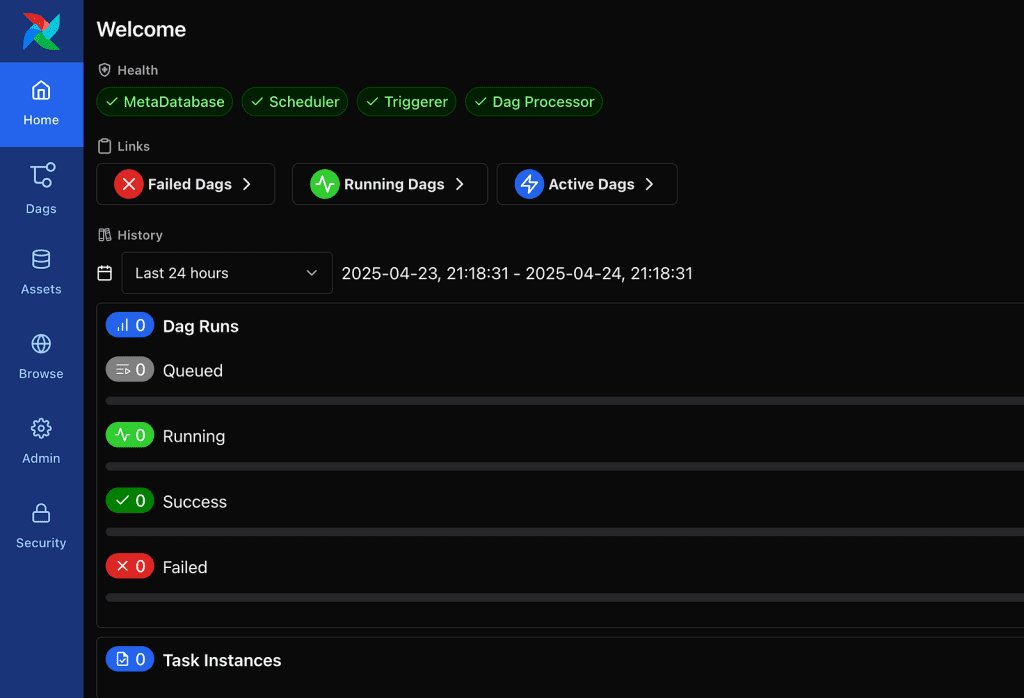
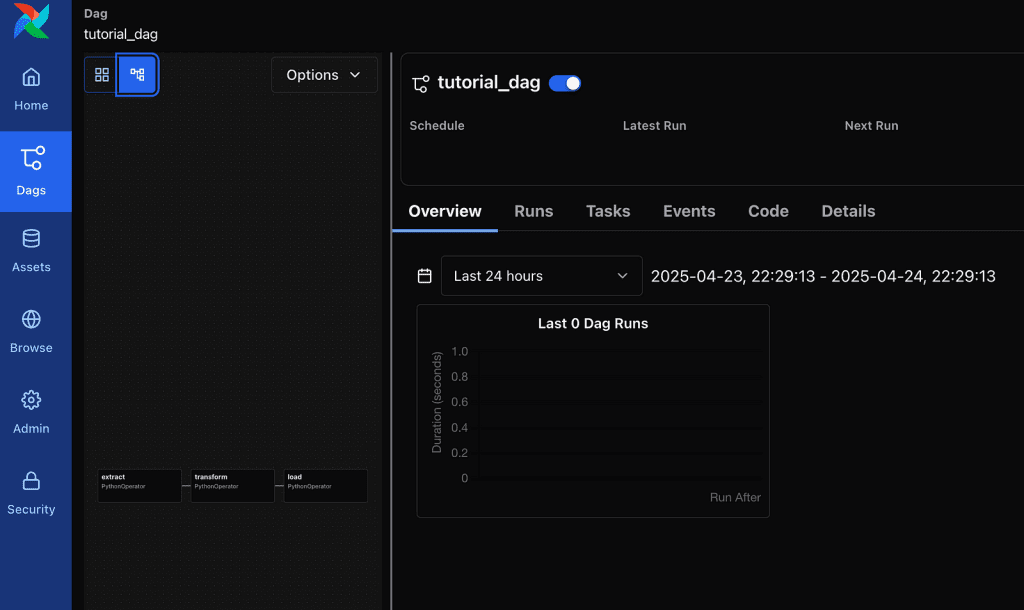
As for the Apache redesign of the existing UI, this is probably the first thing we all observed. The log-in screen doesn’t appear to have changed much, but the entire UI has undergone changes.
To load the example DAGs, we can simply keep AIRFLOW__CORE__LOAD_EXAMPLES as true in the docker-compose.yaml file
The default setting invokes the sensation of being in a Linux environment, where all menus are relocated to the left. The Home tabs are now more akin to a summary of all statistics, and dedicated tabs are available for DAGs.
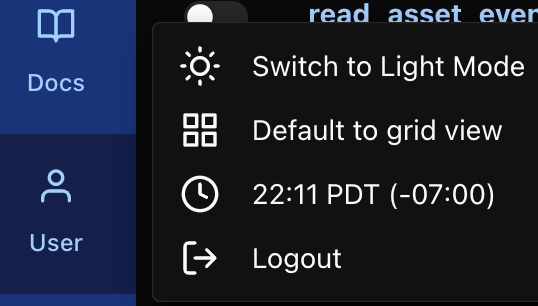
If you prefer light theme instead of the dark theme, you can switch on and off in the user tab
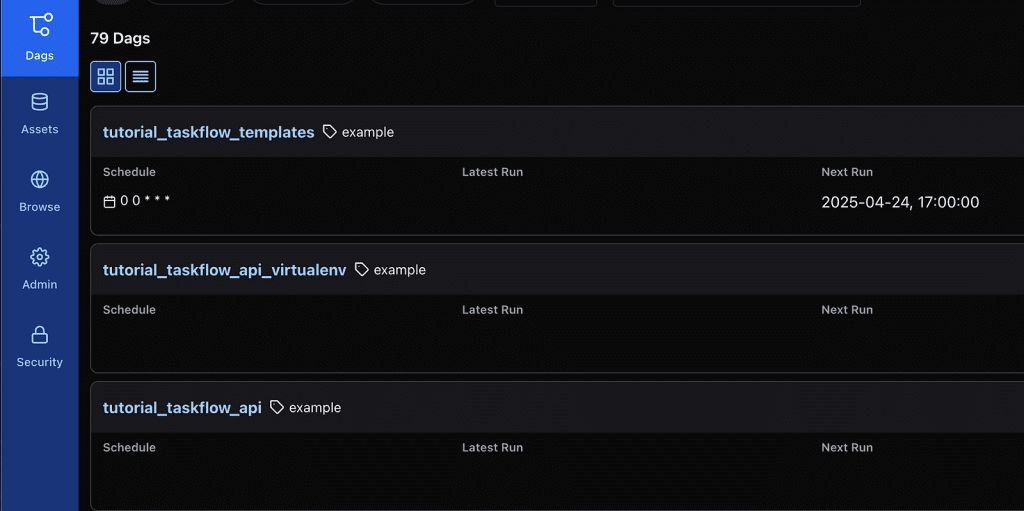
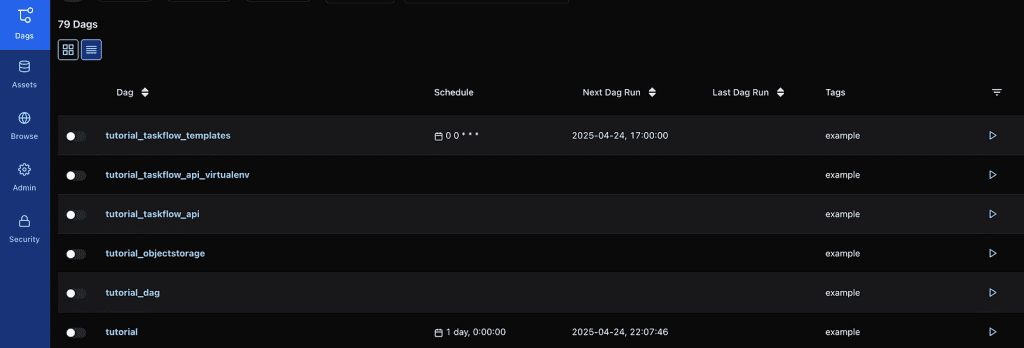
The default view of the DAGs tab is a card view. if you’d prefer more condense view like we have in Airflow 2.x, you can click on the list view
In Apache Airflow 3.0, there are only 2 views left: grid and graph. Personally, I miss the calendar view for getting a high-level sense of DAG completion health without having to wait for the grid view to render all of the tasks’ states in detail.
I discovered that the ratio of DAG visualization to DAG detail information has flipped from 2.x to 3.0. In 3.0, the DAG detail information section is now larger than the DAG visualization.
I found myself having to adjust this ratio several times as the DAGs became more complex; especially for the DAG graph view, you would need to make this section large enough to see the entire DAG relationship. The good news is that you only need to do each DAG once, and they seem to remember your previous ratio.
Overall, the Airflow 3.0 user interface feels more modern than the 2.x version. It feels cleaner and less confusing to the new users. However, it may take some trial and error for users who have been using Airflow for years to get things right.
DAG Versioning
This feature is eagerly anticipated in Airflow 3.0. Numerous teams urgently require DAG versions in Airflow. In Airflow 2.x, it always shows you the latest code of a DAG. It can be frustrating if a DAG changes frequently; a user has to spend a long time figuring out what happened on a specific execution.
To show the DAG versioning, let’s create a test DAG first.
Note: Airflow changes the package structure; you might find out that you’d need to refactor existing code to make it work. For example, we don’t have scheduler_interval anymore; it’s schedule.
from airflow.sdk import DAG
from airflow.providers.standard.operators.bash import BashOperator
from datetime import datetime, timedelta
with DAG(
dag_id="hello_world_test_dag",
start_date=datetime(2025, 4, 1),
schedule=timedelta(days=1),
catchup=False,
tags=["example", "test"],
) as dag:
hello_task = BashOperator(
task_id="say_hello",
bash_command="echo 'Hello, World!'"
)
hello_task
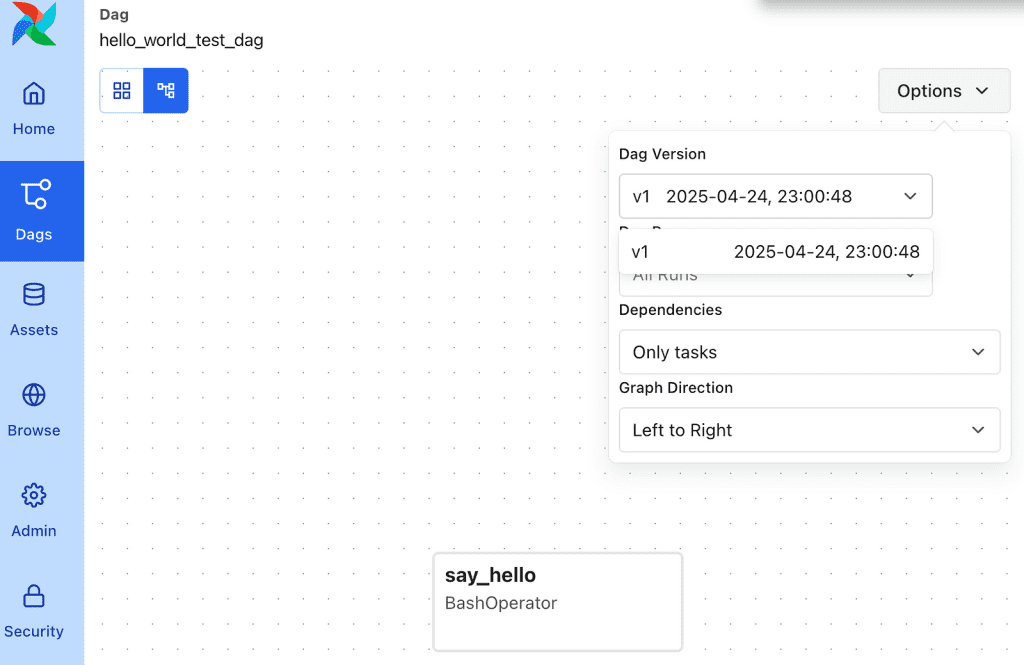
To view this first version, you can go to the graph view and then click the options button to see the DAG version.
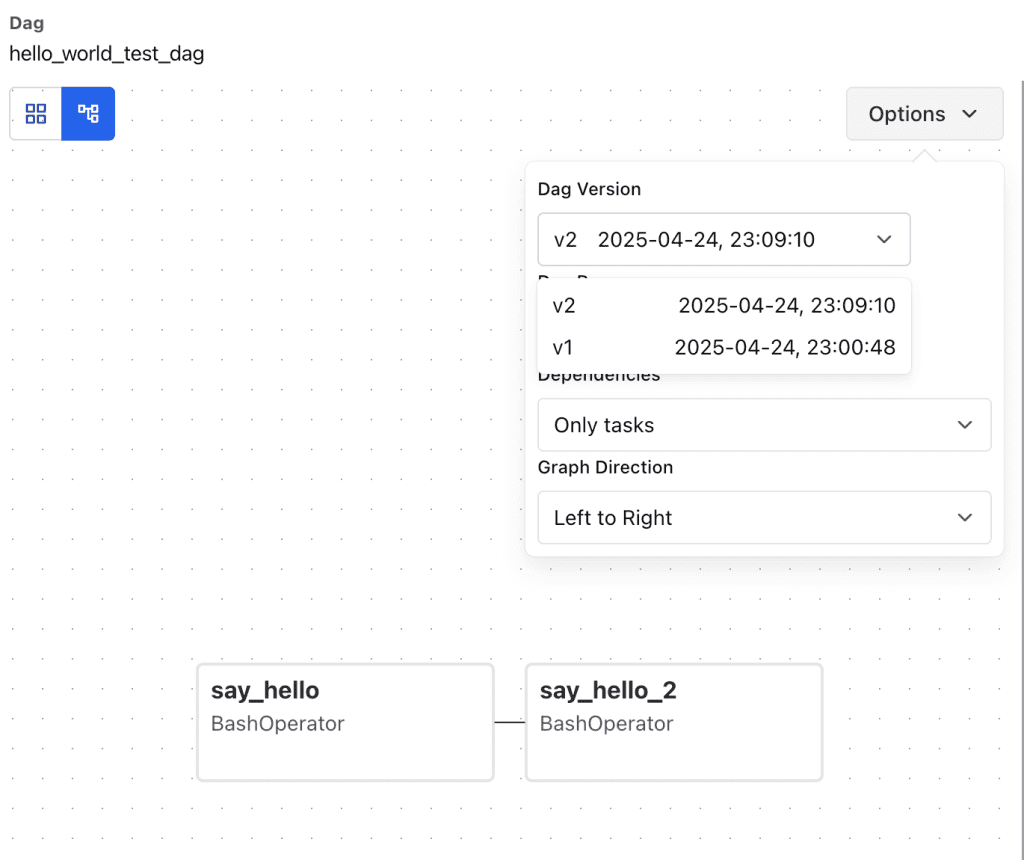
Let’s run it first, and then we’ll make a change to add another bash task.
Airflow DAG versioning allows us to track the DAG’s version and see both the graph and the code. The DAG run also keeps track of a version number. This feature makes it much easier for data professionals to determine which version of the code they have executed.
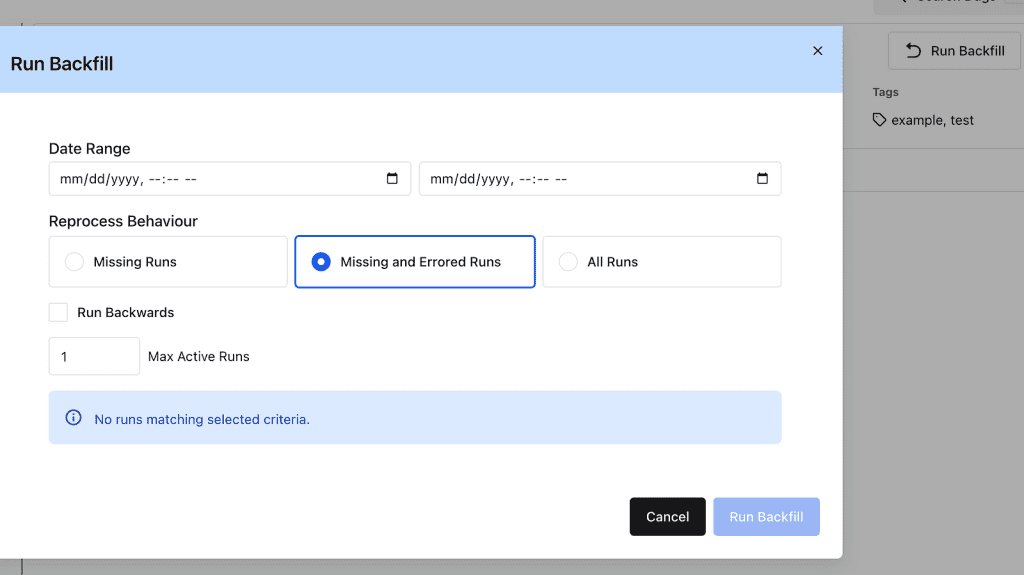
Improvement on Backfill
The scheduler runs the backfills and has more control over them. This change replaced the backfill process as separate command-line jobs in 2.x
Event-driven scheduling
The objective of this feature is to incorporate native event-driven capabilities into Airflow, thereby enabling the creation of workflows that can be triggered by external events, thereby facilitating the development of more responsive data pipelines.
What’s an asset in Airflow 3.0? Assets represent external data or events (like files in S3) that can now directly trigger DAG runs.
We now have an asset tab under Airflow UI. Instead of scheduling this DAG by a cron schedule, we will provide an asset hook that will trigger the DAG run when the asset becomes available.
with DAG(
dag_id="asset_s3_bucket_consumer",
start_date=pendulum.datetime(2021, 1, 1, tz="UTC"),
schedule=[Asset("s3://bucket/my-task")],
catchup=False,
tags=["consumer", "asset"],
):
@task
def consume_asset_event():
### Do somthing here
pass
consume_asset_event()
Apache Airflow 3.0 also includes an integration for AWS SQS that demonstrates the triggering of DAGs upon the arrival of a message in AWS SQS.
More Languages Support for Task Creation
In the upcoming months, task SDKs for additional languages, including Golang, will be released. Despite the delay above, we observed the release of Edge Executor. It would be highly intriguing to expand Airflow’s presence in the edge computation world by incorporating other languages.
Final Thoughts
Apache Airflow 3.0 represents a major leap in DAG versioning, UI modernization, reliable backfill, event-driven scheduling, etc. This is an excellent opportunity to investigate the capabilities of this version, regardless of whether you are a seasoned data engineer or a novice in orchestration.
About Me
I hope my stories are helpful to you.
For data engineering post, you can also subscribe to my new articles or becomes a referred Medium member that also gets full access to stories on Medium.


